One of the main tasks of preparing content for the web is photo editing, resizing and formatting. Photoshop is the industry standard software package used to edit graphics. However, there are simpler and less expensive options if all you need are basic tools to resize and crop images for your website or email newsletter.
The editors discussed below are all free to use. These tools work for personal emails, too. Before sending those family photos, run them through webresizer.com in order to reduce the file size. Or upload them to Pixlr Express so you can add captions.
Why do we need to resize images? Because it helps our pages and emails load faster. It standardizes the appearance of the image across browsers, platforms and devices. It saves space if your online storage provider enforces a disk quota. And it saves time for both you and your recipients. Large files take time to upload, download and open. There is no need to send 7MB photos via email when a 45kb image would suffice.
WebResizer.com
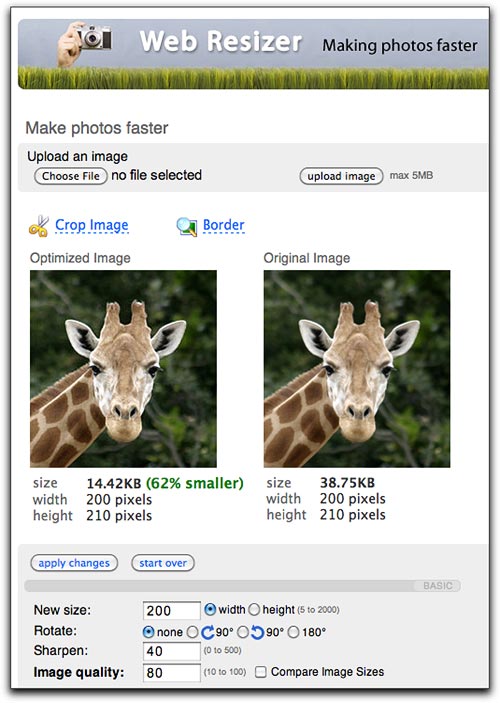
Webresizer.com provides a simple user interface allowing you to perform basic edits including cropping, rotating and resizing. If you are new to photo editing, this is what I would recommend. Merely uploading and then saving your image will reduce the file size. (You do not need to change any of the settings.)
Pixlr Express
When you are ready for something more advanced, Pixlr Express allows you not only to adjust your images, but also to add text, stylized borders and other effects. You can upload an image from your computer, type in the URL of an image you want to edit, or even capture an image from your webcam. After your image is loaded into Pixlr Express, you can add text and make your adjustments before saving as a new file.

Pixlr Editor
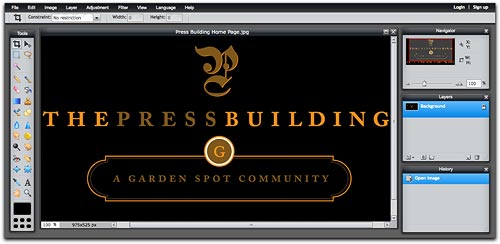
Pixlr Editor is a full-featured photo editor similar to Photoshop. It gives you many tools to edit images or create them from scratch. This is a good choice if you need the ability to make precise adjustments.